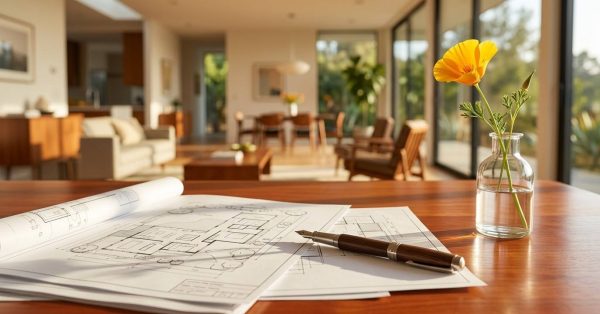
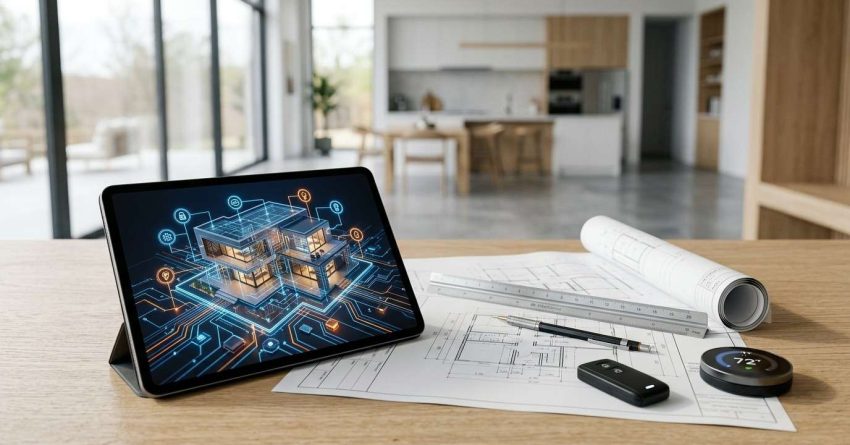
Smart home integration for new construction is the process of planning, wiring, and installing connected technology systems — lighting, climate, security, audio, energy, and appliances — as a unified layer built into the home during construction, not added as an afterthought after move-in.
Missing this window costs significantly more and produces fundamentally inferior results. The construction phase is irreplaceable.
This guide covers every major dimension: why timing is everything, how to design infrastructure and choose protocols, which systems to prioritize, what platform fits your household, how to budget realistically, and how to find the right professionals — with direct links to dedicated cluster resources for every subsystem that needs deeper treatment.
Why Smart Home Integration Starts During Construction, Not After
The construction phase is the only window in a home’s life where comprehensive smart infrastructure can be installed at full capability and reasonable cost. Once drywall is hung, every wired smart home feature becomes a wall-cutting, patching, painting, and replastering project. Running a single Cat6 cable through a finished wall typically costs $200–$500 per run in labor and repair. The same run during rough-in costs $25–$50.
The performance gap is just as significant as the cost gap. Wired networks reliably outperform wireless-only installations in latency, stability, and interference resistance. A home pre-wired for Cat6a to every room, with ceiling-mount wireless access points on hardwired backhaul, delivers whole-home WiFi performance that no retroactively installed mesh network matches. In-ceiling speakers wired to a central amplifier during construction produce sound quality that Bluetooth and wireless streaming speakers in finished rooms cannot replicate.
The timing window is narrow. Pre-wire decisions — speaker locations, camera positions, data drop counts, conduit pathways, structured panel location, and network closet sizing — must be committed before framing inspection or shortly after. Electrical rough-in follows immediately. Once insulation goes in and drywall follows, the opportunity has closed.
Homeowners who engage a smart home integrator only after move-in consistently pay two to five times more for a fraction of the capability they could have built in at the framing stage. Our dedicated resource on smart home integration timing explains every construction milestone and decision point that must be committed before the window closes..

Smart Home System Architecture for New Builds
A smart home is not a collection of disconnected gadgets — it is a network of interconnected subsystems communicating through shared protocols, managed by control hubs, and distributed through physical infrastructure. Understanding this architecture before construction begins determines every subsequent decision about wiring, equipment, and platform.
Wired vs. Wireless Infrastructure Layers
Smart home infrastructure in new construction divides into wired and wireless layers that work together. The wired layer — Cat6a network cable, speaker wire, security camera wiring, and low-voltage conduit — forms the permanent backbone that supports all present and future capability. The wireless layer — WiFi for everyday devices, Z-Wave and Zigbee mesh for sensors and switches, Thread for Matter devices — handles everything that doesn’t require a physical cable connection.
In new construction, the objective is to maximize the wired layer during rough-in while designing the wireless layer to complement it. Wireless access points should be hardwired. Speaker systems should use physical cable. Cameras should run on Power over Ethernet. Understanding which systems benefit from wires — and which function well wirelessly — determines where every pre-wire dollar is best spent. Our wired vs. wireless smart home systems comparison lays out the performance and reliability trade-offs for each subsystem category.
Hub, Protocol, and Device Layers
Above the infrastructure layer sit protocols (the communication standards devices use to talk to each other), hubs (the platforms that run automations and provide user interfaces), and devices (the physical smart products in each room). These three layers are independent — you choose a hub, it supports certain protocols, and devices communicating on those protocols connect to the hub.
The 2025 smart home ecosystem has simplified dramatically with the adoption of Matter, an open standard that allows devices from Apple, Google, Amazon, Samsung, and hundreds of manufacturers to coexist on a single platform. For new construction planning, the core architecture question is: which hub platform runs your home, and which devices communicate with it?
For a complete breakdown of how hub, protocol, and device layers connect — and what to specify at each layer during the design phase — our smart home system architecture guide for new builds covers every component and integration path in full detail.
Smart Home Pre-Wiring & Infrastructure
Pre-wiring is the single most valuable investment in the entire smart home integration process. The cost difference between rough-in installation and post-construction retrofit is consistent across every wire type: Cat6a, speaker cable, security camera wiring, and conduit all cost 5–10x more to install in finished walls than during the framing phase.
Coordinating low-voltage pre-wire work with the electrical rough-in requires a specific trade sequencing that most general contractors are not accustomed to managing — our guide on low-voltage rough-in coordination for smart homes details the scheduling, inspection requirements, and contractor communication protocols that prevent costly conflicts.
Structured Wiring Panel
A structured wiring panel — also called a home distribution center — centralizes all low-voltage wiring: Cat6a data, coax, speaker cable, and security system wiring. It should be located in a utility room, basement, or dedicated network closet with adequate depth (minimum 4 inches), ventilation, and a dedicated 20-amp circuit for network equipment and power injectors. Planning this location during framing avoids the frustration of a panel in a space too shallow for the equipment it needs to house.
Cat6a Network & WiFi Access Points
Every room used for computing, media, or gaming should receive at minimum two Cat6a runs terminating at the structured panel. Home offices benefit from four. Primary living and media spaces should receive additional runs for AV equipment, NVR systems, and future streaming devices. WiFi access points should be ceiling-mounted and hardwired via Cat6a — Wi-Fi 6E and WiFi 7 access points deliver dramatically better performance when wired than when relying on wireless backhaul between units.
Speaker Pre-Wire
In-wall and in-ceiling speaker wire — typically 14-gauge two-conductor CL2-rated cable — should run to every room where whole-home audio is desired, terminating at the structured panel. Speaker locations must be marked and fire-blocked before drywall installs. Coordinating with the HVAC contractor to avoid duct conflicts in ceiling cavities prevents the most common speaker placement disappointments.
Security Camera Pre-Wire
Each exterior and interior camera location should receive a Cat6 run to the network closet or NVR location. Power over Ethernet cameras eliminate separate power runs, making Cat6 the single cable that delivers both data and 12–15 watts of power to each camera. Eight exterior camera positions, four interior positions, and a central NVR location is a typical specification for a 2,500–3,500 sq ft new build.
Our room-by-room smart home pre-wiring guide for new builds includes structured panel sizing guidance, Cat6a specification tables, speaker wire routing diagrams, camera position matrices, and a construction-phase checklist for every major subsystem.

Smart Lighting Design for New Construction
Smart lighting in a new build operates at a fundamentally different level than adding smart bulbs to an existing home. With walls open, every switch box can be wired with a neutral wire — the single most important electrical requirement for smart dimmers and switches — and a whole-home lighting control system can manage every circuit from one platform.
Smart Switches vs. Smart Bulbs in New Builds
Smart switches and dimmers are almost always the correct specification for new construction. They work with any fixture, are invisible to guests, and never need replacement when bulbs burn out. Smart bulbs require workarounds to prevent users from cutting power at the wall — a persistent frustration in smart homes installed after the fact that new construction simply doesn’t have to accept.
Specifying neutral wires at every switch box adds a minimal cost during rough-in (typically $0–$2 per box in labor, since the neutral is already in the box for AFCI compliance in most jurisdictions) and unlocks compatibility with every smart switch and dimmer on the market.
Lutron Systems: Caseta vs. RadioRA3 vs. HomeWorks
Lutron is the industry standard for whole-home lighting control in new construction. Caseta is the entry-level residential option — reliable, broadly compatible with Apple Home, Google Home, and Alexa, and appropriate for most new builds under 4,000 sq ft. RadioRA3 is the professional residential step-up for larger homes or more complex scene programming. HomeWorks QS is Lutron’s estate-grade platform, typically specified for luxury builds with demanding lighting design requirements.
All three systems require planning before rough-in — switch box sizing, keypad locations, and wireless signal pathways should be mapped on the electrical plan before the inspector visits.
Our smart lighting master plan guide for new builds walks through scene design, keypad and switch placement principles, Lutron system tier selection with cost comparisons, outdoor lighting integration, and circadian lighting configuration for every room type. For a detailed decision comparison between Lutron tiers specifically, our Lutron Caseta vs. RadioRA3 vs. HomeWorks guide provides a cost-benefit analysis for each.
Smart Climate Control & HVAC Integration
HVAC represents one of the home’s largest ongoing operating costs and one of the highest-value opportunities for smart automation. In new construction, smart climate decisions interact directly with the mechanical system design — HVAC type, duct layout, zone configuration, and thermostat wiring all affect which smart climate options are available.
C-Wire: The Critical Rough-In Requirement
Every thermostat location must receive a C-wire (common wire) during HVAC rough-in for smart thermostat operation. This is a five-conductor thermostat wire with the common lead identified and connected at the air handler. Many existing homes lack C-wires, forcing workarounds and adapter kits. In new construction, adding C-wire costs nothing and ensures full compatibility with every smart thermostat — Ecobee, Google Nest, Honeywell T10, or any other — without adapter compromises.
Multi-Zone HVAC & ERV/HRV Integration
Multi-zone HVAC systems — particularly mini-split multi-zone configurations — pair naturally with smart home systems. Each zone receives independent control, scheduling, and geofencing automation. Smart vents and damper systems allow single-zone forced-air systems to approximate multi-zone behavior. For detailed zone configuration guidance and smart thermostat pairing for each HVAC type, our multi-zone HVAC with smart control guide covers every scenario.
New construction is also the optimal time to integrate ERV or HRV ventilation with smart platform control — responding to CO2 sensors, outdoor air quality data, and occupancy patterns to maintain air quality without energy waste.
Smart climate integration sits within the broader context of mechanical system design for new builds — our companion resource on HVAC, plumbing, and electrical for new builds covers Manual J calculations, duct design, and electrical service sizing alongside smart integration requirements for the complete MEP picture.
Our smart thermostat selection guide for new builds covers every thermostat model comparison, C-wire wiring diagrams, and multi-zone HVAC compatibility matrix for the complete climate control specification.
Smart Security Systems for New Construction
New construction offers a blank slate for security system design — cameras, sensors, and access control devices positioned precisely where threat assessment and aesthetics require, with wiring run during rough-in rather than surface-mounted in finished spaces.
Smart Locks & Access Control
Smart locks at the primary entrance and garage door are the foundational security layer for most smart homes. August Smart Lock Pro, Yale Assure Lock 2, and Schlage Encode Plus each offer keypad, app, and smart home platform integration. Level Lock and Level Bolt provide invisible smart lock mechanisms using existing lock hardware — ideal for architecturally sensitive applications where visible keypads are undesirable.
In new construction, the door’s rough framing and electrical rough-in can be planned to accommodate wired lock options (maximally reliable) or battery-powered wireless locks (simpler installation). The choice should be made before door framing is finalized.
PoE Camera Systems & NVR
Power over Ethernet camera systems — where Cat6 cable carries both data and 12–15 watts of power — are the professional standard for new construction. NVR-based systems from Ubiquiti UniFi Protect, Lorex, and others provide local video recording with optional cloud backup. Compared to cloud-only cameras, NVR systems offer lower ongoing cost, better privacy, and higher reliability when internet connectivity is disrupted.
Whether to store video locally on an NVR or subscribe to cloud storage is one of the key security architecture decisions for new construction — our NVR vs. cloud camera systems comparison provides a cost, privacy, reliability, and integration analysis for each architecture to inform your specification.
Our whole-home smart security plan for new builds provides a complete system design checklist — including camera placement principles, smart lock selection guidance, motion sensor positioning, doorbell camera wiring, and alarm panel integration — for the full security specification.
Smart Water Management
Smart water management is systematically underspecified in new construction smart home planning, yet it delivers some of the highest ROI when a leak or pipe failure occurs. A single undetected water leak can cause $20,000–$100,000 in structural and finish damage. A whole-home smart shutoff valve with distributed leak sensors eliminates this risk for approximately $500–$1,500 installed.
Whole-home smart shutoff valves — Flo by Moen, Phyn Plus, EcoNet — mount on the main supply line and detect micro-leaks, temperature anomalies, and abnormal flow patterns. When integrated with the smart home platform, they automatically shut off water when a point-of-risk sensor detects moisture.
Pairing the main valve with a distributed leak detection sensor network — placed under every sink, near the water heater, beneath appliances, and at the washing machine — creates a multi-layer response system that reacts within seconds of moisture detection, triggering both an alert and automatic water supply cutoff.
For new construction plumbing rough-in, specifying the main shutoff location for motorized valve accessibility and running a single Cat6 drop to the valve location adds minimal cost and enables smart integration without modification.
Our detailed resource on the whole-home smart water shutoff system and leak detection network covers valve selection, new construction placement planning, sensor network layout, and smart platform integration for the complete water management specification.
Smart Energy: Solar, EV, Battery & Load Management
Smart energy management is transforming new construction in ways that extend far beyond the smart thermostat. Today’s new builds can integrate solar production, battery storage, EV charging, and smart electrical panels into a unified system that actively manages energy consumption, minimizes grid draw, and optimizes the value of time-of-use electricity rates.
Smart Electrical Panels
Smart electrical panels from Span, Lumin, and Schneider Electric (Square D Pulse) replace conventional breaker panels and add circuit-level energy monitoring, remote individual circuit control, and active load management. According to Span’s published product specifications, their panel enables real-time consumption monitoring by circuit and automatic prioritization of critical loads during grid outages.
In new construction, specifying a smart panel during the electrical design phase allows proper sizing for current and future loads — EV charging, heat pumps, solar inverters, and battery interconnection — all planned as an integrated system rather than sequentially retrofitted.
Smart energy management exists within the broader sustainability and efficiency framework — our companion pillar on energy-efficient and sustainable home building covers solar PV sizing, heat pump integration, HERS ratings, and net-zero design alongside smart energy system planning for the complete efficiency picture.
EV Charger Pre-Wiring
A minimum 240V, 50-amp dedicated circuit to the garage is the standard EV charger pre-wire specification for new construction. A 60-amp or 100-amp circuit provides flexibility for higher-amperage future charging needs. Smart EV chargers — ChargePoint Home Flex, Wallbox Pulsar Plus, Tesla Wall Connector Gen 3 — integrate with smart home platforms and time-of-use electricity pricing structures to automatically schedule charging during lowest-cost overnight windows.
Smart EV chargers that coordinate with solar production, battery state of charge, and time-of-use rates can reduce annual home charging costs by 30–60% compared to unmanaged overnight charging. Our EV charger smart integration guide covers circuit sizing, compatible charger models, and time-of-use automation setup for new construction planning.
For a complete comparison of Span, Lumin, and Schneider Pulse smart panels — including circuit monitoring capabilities, load management features, solar interconnection specs, and installed cost benchmarks — our smart electrical panel selection guide for new builds covers every option with a practical decision framework.
Whole-Home Audio & Entertainment
Whole-home audio is one of the most satisfying smart home features when implemented correctly in new construction — and one of the most difficult to add meaningfully after walls are closed. In-ceiling and in-wall speakers require ceiling cavity access, fire blocking, and wiring runs that assume open-stud framing. Once drywall is installed, the cost of a proper installation multiplies by a factor of three to five.
Whole-home audio systems follow two primary architectures: wired matrix amplifier systems — where a central amplifier drives passive in-ceiling speakers throughout the home via dedicated speaker cable — and wireless streaming platforms like Sonos and Bluesound, where active speakers in each room receive streaming data over WiFi. In new construction, running speaker wire to every room enables the hybrid approach: passive in-ceiling speakers for secondary spaces where ambient audio is desired, and active streaming speakers for primary listening environments.
Speaker placement is fundamentally a construction decision — in-ceiling speaker locations must be committed before drywall, and fire blocking at each location must be installed during framing. Coordinating with the HVAC contractor to avoid duct conflicts is essential and often overlooked.
Our complete whole-home audio distribution design guide for new builds covers speaker placement principles, passive vs. active architecture trade-offs, amplifier and streaming platform selection, AV closet design, and the full pre-wiring specification for every room type.
Smart Kitchen & Appliances
Smart appliance integration in new construction is as much about infrastructure provision as specific product selection — appliance technology evolves faster than the home’s wiring, so planning for flexibility matters more than committing to today’s specific models.
The smart kitchen infrastructure checklist for new construction includes:
- Network drops at major appliance locations. Refrigerator, range, dishwasher, and built-in coffee station locations each benefit from a Cat6 drop or positioned wireless coverage. Hardwired connections eliminate the connectivity issues that plague WiFi-dependent appliances in dense-wall construction.
- Dedicated 240V circuits for induction cooktops. Induction ranges require 240V at 40–50 amps minimum; premium models or range-plus-oven configurations require 50–60 amps. Induction’s precision temperature control, speed advantage over gas, and integration with smart energy management make it the natural choice for smart homes.
- Voice assistant and smart display outlet placement. Kitchen countertop smart displays (Amazon Echo Show, Google Nest Hub) benefit from planned outlet placement at countertop height on upper cabinet faces — eliminating visible cords and enabling optimal voice assistant microphone positioning.
Our guide on smart appliances worth pre-planning in new construction identifies which appliance categories have meaningful smart integration today, which infrastructure provisions support them during the build phase, and where smart appliance investment delivers measurable value versus where the technology is still maturing.
Smart Home Protocols: Matter, Thread, Zigbee, Z-Wave & WiFi
Smart home device interoperability has historically been the industry’s most persistent friction point. Devices from different manufacturers using incompatible protocols required separate hubs, separate apps, and often couldn’t share automation logic. New construction smart homes built in 2025 benefit from a radically improved protocol landscape.
Matter: The Unifying Standard
Matter is the open connectivity standard developed by the Connectivity Standards Alliance and supported by Apple, Google, Amazon, Samsung, and hundreds of manufacturers. As of early 2025, the CSA has certified over 4,500 Matter-compatible devices — a fivefold increase from the standard’s 2022 launch. Matter allows devices from any compatible manufacturer to work on any Matter-compatible platform — Apple Home, Google Home, Amazon Alexa, Samsung SmartThings, and Home Assistant all support Matter.
Thread vs. WiFi Devices
Thread is the mesh network protocol that most battery-powered Matter devices use at the physical layer. Thread devices form a self-healing mesh that extends range and redundancy with every additional Thread device. Thread border routers — built into Apple HomePod Mini, Apple TV 4K, Google Nest Hub Max, and Amazon Echo 4th Gen — bridge Thread networks to the home’s IP network.
WiFi-based smart devices connect directly to the home network without an additional hub. They’re simple to set up but contribute to network congestion in homes with many devices. Planning the home’s WiFi network during construction — with ceiling-mount hardwired access points positioned for even coverage — is the foundation that makes large WiFi device populations reliable.
For a complete selection framework covering Matter’s ecosystem, Thread’s mesh architecture, Z-Wave’s 908MHz interference advantages, Zigbee compatibility considerations, and WiFi best practices for smart homes — our comprehensive smart home protocol guide for new builds provides the decision logic needed before specifying any device category.
For new construction planning specifically focused on Matter’s certification requirements, border router placement, and device onboarding sequence — our Matter protocol for new home builds guide covers every implementation detail before devices are selected.
Choosing Your Smart Home Hub & Ecosystem
Your smart home hub is the platform that runs automations, connects devices across protocols, and provides the daily user interface for everyone in the household. This decision should be finalized before construction begins — it influences device specifications, pre-wiring requirements, and which professional integrators you engage.
Consumer Platforms: Apple Home, Google Home, Amazon Alexa
All three leading consumer platforms now support Matter, dramatically expanding device compatibility. Apple Home offers the strongest privacy architecture — all automation processing happens on-device — and the most polished experience for Apple device households. Google Home integrates most naturally with Android ecosystems and Google Workspace. Amazon Alexa has the broadest third-party device library and the most mature voice control capabilities with the widest room for custom skills.
For most new construction households — particularly first-time smart home builders — a consumer platform provides an excellent balance of capability, simplicity, and cost. Matter compatibility means device selection is no longer constrained by platform.
Professional Platforms: Control4, Crestron, Savant
Professional platforms offer deeper integration depth, more sophisticated automation logic, and dealer-supported programming that consumer platforms don’t match. Control4 is the most widely deployed professional residential platform in North America, requiring an authorized dealer for programming. Crestron dominates the ultra-high-end estate market. Savant occupies the premium consumer/professional middle ground with an emphasis on media and AV integration.
Professional platform total project costs typically start at $25,000–$40,000 for a 2,500 sq ft home and scale well into six figures for large estate installations with full AV, motorized shading, and custom programming. The comparison among these platforms on features, dealer network, and long-term support economics is detailed in our professional smart home platform comparison guide.
Open Source: Home Assistant
Home Assistant is the technically sophisticated choice for homeowners comfortable with software configuration. It runs entirely locally — no cloud dependency — supports thousands of integrations, and provides automation logic that exceeds commercial platforms. Home Assistant Yellow and Home Assistant Green are purpose-built hardware platforms that simplify deployment. For new builds where the homeowner is technically engaged, Home Assistant often delivers the best long-term value. Our Home Assistant for new construction guide covers hardware selection, Matter and Zigbee integration, and the pre-wire specifications that support a local-processing architecture.
For a structured comparison matching each platform to budget, technical comfort level, and integration depth requirements — our smart home hub selection guide for new builds provides the decision framework you need before committing to a platform.
DIY Smart Home vs. Professional Integration
The DIY vs. professional integration decision is among the most consequential choices in new construction smart home planning. It determines who designs the system, who is accountable for performance, and who maintains it over time.
DIY approach: A technically capable homeowner can specify pre-wiring during construction — directing the electrical contractor on Cat6 drops, speaker wire runs, and camera positions — and configure consumer platform devices after move-in. Consumer platforms are capable, widely supported, and continuously improving. The limitations are integration depth (consumer automation logic is less sophisticated than professionally programmed systems) and troubleshooting support (self-diagnosis required when issues arise).
Professional integration: Certified dealers for Control4, Crestron, Savant, or Lutron handle system design, pre-wire coordination with the builder, device procurement, platform programming, and post-installation support. A professionally programmed whole-home system achieves a level of seamlessness — lights, shades, climate, AV, security, and energy responding to single-button scenes or occupancy — that consumer platforms struggle to match. The premium is real and substantial.
The right answer depends on budget, technical appetite, and integration ambition. Our DIY vs. professional smart home integration comparison provides a cost-benefit framework across budget levels and identifies the specific system categories where professional integration delivers unambiguous value versus where DIY is a sound choice.
Smart Home Integration Budget & Cost Planning
Smart home integration costs vary from $5,000 for a focused consumer-platform installation to $150,000+ for a luxury estate system. Understanding the cost structure enables realistic budget allocation.
Pre-wiring: A whole-home pre-wire package — Cat6a to every room, speaker wire to 8–12 locations, security camera wiring for 8 cameras, and structured wiring panel — typically costs $3,000–$8,000 in a 2,500–3,500 sq ft home. The same scope in a finished home costs $15,000–$40,000 in labor, materials, and wall repair. For a detailed budget breakdown by cable type and home size, our smart home pre-wiring cost guide provides the numbers needed to build this line item into the construction budget.
Consumer platform (DIY): A complete DIY consumer platform installation — Lutron for lighting, Ecobee or Nest for climate, smart locks, PoE cameras on UniFi Protect, Sonos audio — typically runs $10,000–$30,000 for a 2,500–3,500 sq ft home including devices and self-installation time.
Professional platform: A professionally programmed Control4 or Crestron installation in the same home starts at $25,000–$40,000 for foundational systems and scales to $80,000–$150,000+ for full AV, motorized shading, custom scene programming, and service agreements.
Energy infrastructure: A smart electrical panel ($1,500–$3,500 incremental), EV charger ($1,000–$2,500), solar-ready conduit and panel sizing ($500–$1,500), and battery backup rough-in ($1,000–$3,000) adds $4,000–$10,500 during construction — creating the infrastructure that supports $30,000–$80,000 in future solar and battery investment without costly electrical modification.
For a complete cost breakdown by system category, regional variation data, and guidance on which investments deliver the highest long-term value — our smart home integration cost guide for new builds provides the decision-support data every new construction budget needs.
Smart Home Trends in New Construction 2025
Smart home adoption in new construction has accelerated significantly. According to Parks Associates’ 2024 research, more than 80% of new home buyers consider smart home features important to their purchase decision — up from approximately 55% in 2019.
Matter protocol adoption has crossed a meaningful threshold. The Connectivity Standards Alliance reports over 4,500 certified Matter devices in early 2025, compared to fewer than 500 at the standard’s 2022 launch. Builder and integrator confidence in specifying smart home systems without platform lock-in risk has increased substantially as a result.
Smart electrical panels are transitioning from luxury feature to standard offering in high-end markets. California’s solar mandates, growing EV adoption, and the economics of time-of-use rate arbitrage are making smart load management a compelling value proposition for mid-market buyers, not only luxury purchasers.
Indoor air quality has emerged as a primary purchase driver in health-focused new construction. ERV/HRV integration with smart platforms, CO2-responsive ventilation, HEPA filtration with smart bypass controls, and radon monitoring are increasingly specified as standard packages in premium new builds.
Our smart home trends in new construction 2025 resource tracks adoption rates, emerging technology introductions, and specification shifts across production and custom builder segments.
Smart Home Approaches for Specific Audiences
Smart home integration priorities shift fundamentally based on who the home is designed for. The pre-wire spec, hub platform, and device priorities for a multigenerational family home differ substantially from those for a vacation rental property or a remote worker’s primary residence.
Aging-in-Place Homes: Homes designed for seniors benefit from motion-activated lighting with voice control (eliminating the need to reach switches), smart locks with remote management, smart appliances with automatic shutoffs, and camera systems that allow family check-ins from a distance. Fall detection, smart medication reminders, and emergency response integrations extend the platform’s safety role.
Families with Children: Young families typically prioritize security cameras at every entry point, video doorbells, smart locks with arrival/departure notifications, parental WiFi controls, and automation rules that manage screen time and ensure the home locks at bedtime.
Remote Workers: Home office environments benefit from dedicated network drops (Cat6a), UPS-backed equipment, circadian smart lighting that adjusts color temperature for focus and wellness, and acoustic smart features — sound masking, motorized shading — that support uninterrupted productivity.
STR/Airbnb Hosts: Short-term rental new builds require smart locks with temporary access codes that auto-expire, smart thermostats with guest-accessible limits and remote management, smart electrical monitoring, and exterior cameras at entry points with appropriate guest disclosure.
For audience-specific smart home planning guides across all major household types and use cases, our series begins with smart home design for seniors aging in place and extends to every audience segment in the cluster index.
Troubleshooting Smart Home Issues in New Builds
Even well-planned smart home installations encounter post-move-in issues. New construction smart homes present a specific troubleshooting context: devices configured during construction may need recommissioning after utility connections go live; WiFi coverage gaps that weren’t apparent on an empty floor plan appear once furniture and occupants are in place; dense insulation and metal framing can attenuate wireless signals in ways that surprise even experienced installers.
WiFi dead zones are the single most common complaint in new builds with smart home systems. The cause is almost always a network router placed in the utility room or basement rather than ceiling-mount hardwired access points distributed through living spaces. The solution requires exactly what construction enabled — ceiling-mount access points on hardwired Cat6a backhaul, which is straightforward in pre-wired homes and expensive in finished ones.
Smart switch buzzing or flickering most commonly indicates a missing neutral wire at the switch box or LED driver incompatibility — both diagnosable and correctable during construction with the walls open, and both requiring wall access after the fact.
Smart thermostat failures after move-in frequently trace to C-wire omissions or incorrect wiring during HVAC rough-in — a problem caught in minutes during a pre-commissioning walkthrough with the HVAC contractor before insulation goes in.
A critical gap that deserves its own resource: the formal smart home commissioning walkthrough — testing every device, scene, automation, and integration before move-in — which prevents most post-occupancy issues from becoming problems at all. Smart home commissioning for new construction move-in <!–NEW PAGE NEEDED–> covers every system category’s commissioning test procedure and the documentation needed for ongoing support.
For a comprehensive troubleshooting guide covering the most common post-move-in smart home issues in new construction — including WiFi dead zone diagnosis, switch and thermostat commissioning failures, camera connectivity problems, and hub recommissioning after utility activation — see our smart home troubleshooting guide for new builds after move-in.
Smart Home Services & Working with Integration Professionals
Whether your plan is a full professional installation or a self-managed consumer platform build, engaging the right professionals at the right construction phase is essential to avoiding the most costly mistakes.
Pre-Wire Specialists: Many markets have low-voltage contractors who specialize in new construction pre-wiring — running Cat6a, speaker wire, security cabling, and conduit during rough-in in coordination with the electrical contractor. These trades are distinct from the system integrators who later program and configure the devices.
Technology Integration Dealers: For professional platform installations — Control4, Crestron, Savant, Lutron HomeWorks — authorized dealers handle system design, pre-wire specification, device procurement, programming, and commissioning. Engaging a dealer before framing begins ensures the pre-wire specification matches the system design. This is the most common source of expensive corrections when homeowners engage integrators only after move-in.
Pre-Construction Consultation: A smart home pre-construction consultation — typically 2–4 hours with a qualified integrator — costs $200–$600 and routinely saves $5,000–$15,000 in incorrect equipment purchases, missed pre-wire opportunities, and incompatible device choices. This consultation should happen at the design phase, before electrical and low-voltage rough-in decisions are finalized.
Our network of smart home pre-wire specialists for builders provides low-voltage rough-in coordination at every construction phase — ensuring Cat6a, speaker wire, security camera wiring, and conduit runs are completed to specification before the inspection window closes.
To connect with a qualified smart home integrator near you who specializes in new construction coordination — or to schedule a pre-construction smart home consultation before your electrical rough-in begins — Mr. Local Services connects homeowners and builders with vetted smart home professionals across all major platforms and markets.
Conclusion
Smart home integration for new construction is a build-phase discipline, not a move-in accessory purchase. Every major decision — pre-wiring infrastructure, protocol selection, hub platform, and subsystem prioritization — is made during framing and rough-in, when changes are measured in hours and hundreds of dollars rather than days and thousands.
The cluster resources linked throughout this guide provide the depth needed for each subsystem decision, from pre-wire specifications to platform comparisons to post-move-in commissioning. This pillar orients the full topic domain; each linked spoke dives into the detail that construction-phase planning requires.
Mr. Local Services connects homeowners, builders, and property managers with smart home integration professionals who specialize in new construction coordination — ensuring your build captures the full value of the construction window while it’s open.
Frequently Asked Questions
What is the most important smart home decision to make before construction begins?
Pre-wiring infrastructure — Cat6a cable runs, speaker wire, security camera wiring, conduit pathways, and structured panel location — is the single most critical decision. This infrastructure costs 5–10x less to install during rough-in than in finished walls and determines what smart systems are possible for the life of the home.
How early in the build process should smart home planning start?
Smart home planning should begin at the design phase, before electrical and low-voltage rough-in. Speaker locations, network closet position, camera pre-wire, conduit pathways, and thermostat C-wire requirements must all be specified before framing inspection or shortly after — once insulation and drywall follow, the window closes.
What does smart home pre-wiring cost in new construction?
A whole-home pre-wire package — Cat6a to every room, speaker wire to 8–12 locations, 8-camera security wiring, and a structured wiring panel — typically costs $3,000–$8,000 in a 2,500–3,500 sq ft home. The same scope installed in a finished home costs $15,000–$40,000 due to wall access requirements and repair work.
What is the Matter protocol and why does it matter for new builds?
Matter is an open connectivity standard supported by Apple, Google, Amazon, and hundreds of device manufacturers that allows products from different brands to work on the same smart home platform. Building in 2025 means your smart devices will be Matter-compatible — eliminating the protocol fragmentation and platform lock-in that made earlier smart home installations frustrating.
Do I need a professional integrator for smart home installation in a new build?
Not necessarily. Consumer platforms — Apple Home, Google Home, Amazon Alexa — work well for most households with DIY device installation. Professional integrators (Control4, Crestron, Savant) provide deeper integration and more sophisticated automation, but at a significant cost premium. The decision depends on budget, technical comfort, and integration ambition.
How much does full smart home integration cost in new construction?
Costs range from $10,000–$30,000 for a consumer-platform DIY installation to $25,000–$150,000+ for a professionally programmed system. Pre-wiring adds $3,000–$8,000. Smart energy systems — electrical panel, EV charger, solar-ready wiring — add $4,000–$10,500 during construction.
Can smart home features be added after a new construction home is complete?
Yes, but at significantly higher cost and with reduced capability. Wireless devices — smart plugs, voice assistants, wireless cameras — can be added at any time. Wired infrastructure — in-wall speakers, hardwired cameras, Cat6 network drops, structured wiring panels — requires wall access that costs several times more after construction and often compromises the finished interior.