Smart home technology integration is the process of connecting a home’s lighting, climate, security, plumbing, and energy systems into one coordinated platform. I treat it as infrastructure, not a gadget purchase. It shapes wiring, budget, and daily comfort for decades.
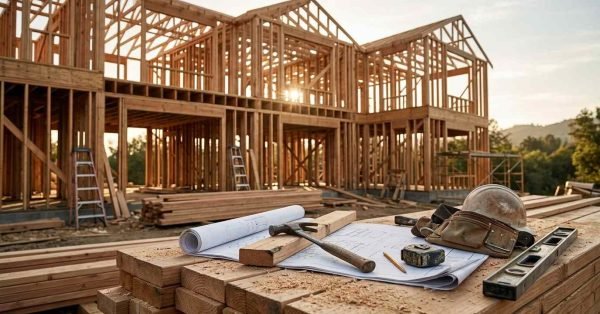
Building smart from day one costs a fraction of retrofitting later. I watch homeowners spend thousands reopening finished walls because nobody planned the low-voltage runs during framing.
This guide covers definitions, build-phase timing, core systems, networking, ecosystems, energy, safety, budgets, hiring, maintenance, privacy, resale value, and the mistakes I see most often.
What Smart Home Technology Integration Actually Means
Integration means the systems in your home talk to each other and respond as one. A standalone smart speaker plays music. An integrated home dims the lights, arms the alarm, and drops the thermostat two degrees when you say goodnight.
That distinction matters more than any single product spec. I’ve walked through custom builds with forty connected devices and zero integration, and the owners still fumble through six different apps every day.
Integration vs. Standalone Smart Devices
Standalone devices operate in isolation, each with its own app, its own account, and its own failure point. Integrated devices share a common language and a common control surface.
The practical test I use is simple. Ask whether one action triggers a coordinated response across multiple systems. When it does, that’s integration.
The Role of a Central Hub or Controller
A hub is the translator and the traffic controller. It bridges devices that speak different wireless protocols and holds the automation logic locally so your home keeps working when the internet drops.
Some hubs are a small appliance on a shelf. Others live in a rack in the mechanical room and run the entire property. I always push for local processing on anything tied to door locks and access hardware because cloud outages happen.
Why Custom Homes Change the Equation
A custom home is the one moment you control the walls. You choose conduit paths, panel locations, device box heights, and network drops before drywall closes everything in.
That freedom is the entire advantage. The global smart home market reached roughly $121 billion in 2024, and most of that spending goes into homes that were never designed for it.
Custom builds skip that penalty. I plan the technology alongside the framing plan, not after the paint dries.
Why Integration Belongs in the Build Phase, Not After
The cheapest smart home you will ever build is the one wired during rough-in. Every month you wait, the cost of adding infrastructure climbs.
I’ve priced the same lighting control system twice on the same house. Pre-drywall it was a wiring line item. Post-occupancy it became a demolition and repair project.
Pre-Wire, Conduit, and Structured Cabling Decisions
Pull more cable than you think you need. Cat6A to every television location, every access point, every camera, every thermostat, and every exterior door.
Empty conduit from the mechanical room to the attic and to each floor is the single best insurance policy in a custom build. Technology changes. Conduit lets you change with it without touching the walls or scheduling drywall repair work.
Retrofit Realities for Existing Properties
Retrofits are absolutely doable, and I do them constantly for landlords and property managers. Wireless protocols, battery sensors, and mesh networking cover most of the gap.
The compromise shows up in reliability and in the ceiling. Wireless-first homes depend on radio conditions, and running new cable through finished construction means fishing walls, cutting access holes, and patching afterward.
The Core Smart Home Systems Every Custom Build Should Plan
Six systems form the backbone of nearly every integrated home I work on. Each one functions independently, and each one gets dramatically better when connected to the others.
I plan all six on paper before a single device gets ordered. That prevents the most expensive outcome in this business, which is buying hardware that refuses to cooperate.
Smart HVAC and Climate Control
Smart thermostats and zoned dampers let different parts of the house hold different temperatures on independent schedules. Occupancy sensors and geofencing cut runtime in rooms nobody uses.
ENERGY STAR certified smart thermostats save households around 8% on heating and cooling costs annually. Pair that with properly sized equipment from a qualified HVAC installation and service team and the savings compound.
Smart Lighting and Shading
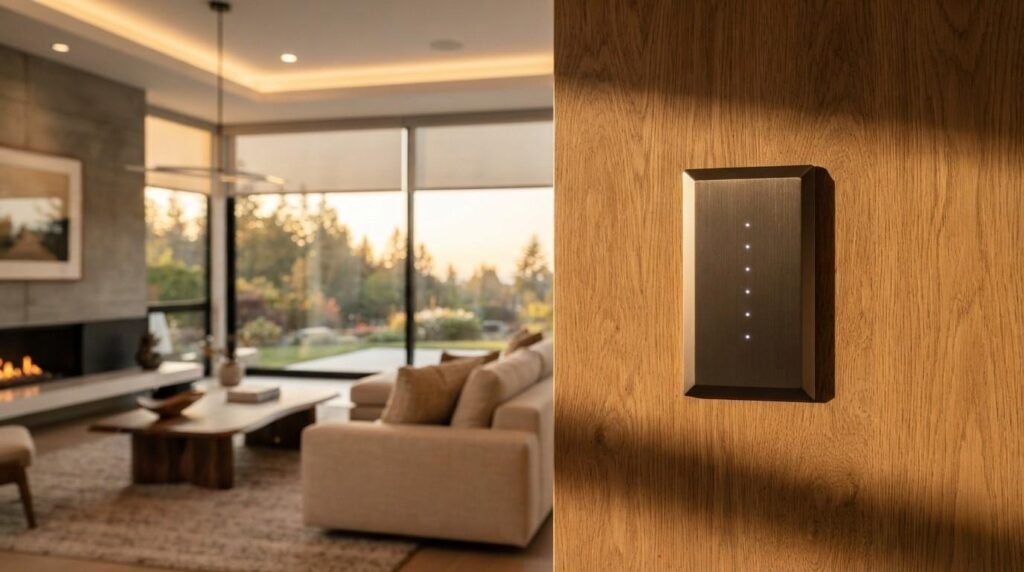
Lighting is the system homeowners interact with most, so it deserves the most planning. Centralized dimming panels, keypad scenes, and tunable white fixtures change how a house feels hour to hour.
Motorized shades belong in the same conversation. They control glare, heat gain, and privacy, and they need power at the window head before the trim goes on.
Smart Electrical, Panels, and Load Management
Smart panels monitor circuit-level consumption and shed non-critical loads during a peak or an outage. That capability matters more every year as homes add EV chargers and heat pumps.
Circuit-level data also catches failing equipment early. I’ve seen a smart panel flag a dying well pump weeks before it quit, which is exactly the kind of warning that saves a weekend emergency call to a licensed electrician.
Smart Plumbing and Leak Detection
Automatic shutoff valves and point-of-use leak sensors stop a burst supply line from becoming a full renovation. Water damage is the failure mode I warn every custom client about first.
Non-weather water damage affects roughly one in sixty insured homes each year. A valve at the main and sensors under every sink is cheap compared to that outcome, and it pairs naturally with routine plumbing inspection and repair.
Smart Security, Locks, and Access Control
Cameras, video doorbells, motion sensors, and connected locks form the layer most buyers ask about by name. Integration turns them from a collection of alerts into a coherent system.
The real value is conditional behavior. Unlocking the front door at 6 p.m. disarms the alarm, turns on the entry lights, and logs the event, all without anyone opening an app.
Smart Appliances and Kitchen Integration
Connected ovens, refrigerators, and laundry equipment report cycle status, filter life, and fault codes. That diagnostic data shortens service calls considerably.
I set expectations honestly here. Appliance connectivity is convenient rather than transformative, and it rarely justifies a premium on its own, though it does simplify scheduling appliance repair and maintenance when something fails.

Networking and Infrastructure: The Backbone of a Smart Home
Every smart home lives or dies on its network. I have never seen a reliable integrated home running on a single consumer router from the cable company.
Plan the network first and everything downstream gets easier. Skip it, and you spend years blaming individual devices for a problem that lives in the infrastructure.
Wi-Fi 6E, Mesh, and Wired Ethernet Backhaul
Wired backhaul to each ceiling-mounted access point delivers the coverage a custom home needs. Wireless mesh without wired backhaul cuts throughput on every hop.
I specify one access point per 1,500 square feet as a starting point, adjusted for concrete, brick, foil-backed insulation, and multi-story layouts.
Wireless Protocols: Matter, Thread, Zigbee, Z-Wave
Matter is the interoperability standard the industry agreed on, and it runs over Wi-Fi and Thread. Thread creates a self-healing low-power mesh among mains-powered devices.
Zigbee and Z-Wave still run millions of installed sensors and remain perfectly viable. My rule is straightforward: choose a hub that speaks all four so no product category gets locked out later.
Choosing an Ecosystem and Avoiding Vendor Lock-In
The ecosystem decision determines your app experience, your voice assistant, and your upgrade path for the next decade. I make this call early because it constrains hardware selection everywhere else.
Matter certification is the hedge against lock-in. A Matter device works across platforms, which means switching ecosystems later costs you software time instead of a truckload of new hardware.
Apple Home, Google Home, Amazon Alexa, and Matter
Apple Home leads on privacy and local processing. Google Home leads on natural voice interpretation. Alexa leads on device compatibility breadth and third-party support.
All three now support Matter. I pick based on the phones and speakers the household already owns, because that is what people actually use every day.
Professional Platforms: Control4, Savant, Crestron
Professional platforms handle scale and complexity that consumer systems struggle with. Whole-house audio, dozens of lighting zones, theater control, and multi-building properties belong here.
They require a certified dealer for programming and changes. That trade-off buys reliability and support, and it costs flexibility and ongoing service fees.
Energy Efficiency, Solar, and Backup Power Integration
Energy management is where smart homes pay for themselves in measurable dollars. The systems that monitor and shift consumption deliver returns every single month.
I design energy integration around three things: visibility, automation, and resilience. Each one needs infrastructure decided before the panel gets installed.
Smart Metering and Real-Time Energy Monitoring
Circuit-level monitoring shows exactly where the kilowatt-hours go. Homeowners change behavior fast once they see the pool pump and the second refrigerator in a live chart.
Residential customers paid an average of 16.5 cents per kilowatt-hour recently, so trimming a few hundred kilowatt-hours monthly is real money.
Solar, Battery Storage, and EV Charging
Solar inverters, battery systems, and EV chargers all speak to the same energy controller when specified together. That coordination lets the home charge the car off surplus production and reserve battery capacity for outages.
Conduit from the panel to the garage and to the roof costs almost nothing during construction. Adding it later costs thousands.

Safety, Accessibility, and Aging-in-Place Technology
Smart technology delivers its highest value in safety and independence. This is the category I encourage every client to over-invest in.
The features cost very little at rough-in and matter enormously twenty years later. Planning for them now avoids a difficult remodel during a difficult season of life.
Smart Smoke, CO, and Water Damage Prevention
Interconnected smart smoke and carbon monoxide alarms announce the specific room and push alerts to phones even when nobody is home. That location detail changes response time.
Pair them with water sensors and automatic shutoffs, and you have covered the three failure modes that cause the most property loss. Fast alerts also shorten the window before water damage restoration becomes necessary.
Mobility, Voice Control, and Universal Design
Voice control operates lights, locks, thermostats, and shades with no physical interaction at all. That single capability keeps people in their homes far longer.
Blocking for future grab bars, wider door openings, and zero-threshold entries costs almost nothing during framing. I combine that structural prep with safety and mobility upgrades so the technology and the physical environment work together.
Planning Your Smart Home Integration: Budget and Timeline
Smart home budgets vary more than almost any other line item in a custom build. Scope, ecosystem, and finish quality drive the number far more than square footage does.
I give clients a range early and refine it as the system design firms up. Vague budgets are how projects get cut in half at the worst possible moment.
Typical Cost Tiers by Home Size and Scope
| Tier | Scope | Typical Range |
| Essential | Network, thermostats, locks, doorbell, a few smart switches | $6,000 – $15,000 |
| Enhanced | Full lighting control, security, cameras, shades, audio in key rooms | $20,000 – $60,000 |
| Comprehensive | Professional platform, whole-house lighting and audio, theater, energy management | $75,000 – $250,000+ |
These figures include hardware, wiring, programming, and commissioning. Infrastructure alone runs 20% to 30% of the total on most projects.
Where Smart Tech Fits in the Construction Schedule
Design happens during architectural drawings. Rough-in wiring happens with electrical rough-in, before insulation. Device installation happens after paint. Programming and commissioning happen in the final two weeks.
Missing the rough-in window is the one mistake with no cheap fix. I put those dates on the general contractor’s schedule in writing.
Phased Rollout for Budget-Conscious Builds
Wire everything now and install devices in phases. Cable and conduit are the cheap part, and they are the part you cannot add back later.
Phase one covers network, security, and climate. Phase two adds lighting control and shades. Phase three adds audio, theater, and energy storage.

Working With the Right Professionals
The wrong team produces a house full of expensive equipment nobody can operate. The right team produces a system the family actually uses.
I coordinate three trades on almost every integration project, and their scopes overlap enough that somebody has to own the handoffs.
Integrators, Electricians, and Low-Voltage Specialists
The integrator owns system design, programming, and commissioning. The licensed electrician owns line voltage, panels, and code compliance. The low-voltage specialist pulls and terminates the structured cabling.
On smaller projects, a single qualified handyman and general repair professional handles device swaps and simple additions. On a full custom build, specialization pays.
Questions to Ask Before You Hire
Ask which platforms they hold current certifications for. Ask who programs changes after the warranty ends, and what that costs per hour.
Ask for the as-built documentation package and confirm you receive administrative credentials to your own system. Owners who lack admin access get held hostage by their installer, and I see it happen constantly.
Maintenance, Updates, and Long-Term System Ownership
A smart home is a living system that needs attention, the same as an HVAC unit or a roof. Neglected systems degrade quietly until something important stops working.
I budget a small annual maintenance allowance on every project. It prevents the slow drift toward a house full of offline devices.
Firmware, Security Patches, and Password Hygiene
Enable automatic firmware updates on hubs, cameras, locks, and the router. Outdated firmware is the most common security weakness in connected homes.
Change every default password, use a password manager, and turn on two-factor authentication for the accounts that control door locks and cameras.
Service Plans and Troubleshooting Support
Professional platforms typically offer annual service agreements with remote diagnostics and priority response. Those plans run several hundred to a few thousand dollars per year.
Consumer ecosystems rely on you or a local pro. I keep a documented system diagram and a labeled network rack so any competent technician can pick up the work.
Privacy, Data Security, and Insurance Considerations
Connected homes generate detailed data about occupancy, habits, and movement. That data deserves the same protection as financial records.
I segment smart devices onto a dedicated VLAN separated from computers and phones. A compromised camera then reaches nothing else on the network.
Review manufacturer data policies before you buy, especially for cameras and voice assistants. Many insurers offer premium discounts for monitored security and water shutoff systems, so ask your carrier what qualifies before you finalize the equipment list.
Resale Value and What Buyers Actually Want
Buyers respond to smart features that solve obvious problems. Security, climate control, and lighting rank at the top consistently, while niche automation rarely registers.
Structured wiring and a clean network rack impress inspectors and technically inclined buyers. Those improvements age well because they are infrastructure rather than fashion.
Proprietary systems with dead manufacturers are a liability. I steer clients toward Matter-certified, widely supported hardware for exactly this reason.
Common Smart Home Integration Mistakes to Avoid
Skipping the network is mistake number one, and it causes more complaints than every other issue combined. Underbuilt Wi-Fi makes perfectly good devices look broken.
Buying devices before choosing an ecosystem is mistake number two. I have seen garages full of returned hardware from homeowners who shopped before they planned.
The third mistake is over-automating. Automations that surprise people get disabled within a month, and the family reverts to wall switches and manual apps.
Conclusion
Smart home integration ties climate, lighting, electrical, plumbing, security, and energy systems into one coordinated platform planned during construction, not after.
Each system here connects to deeper resources on networking, ecosystems, cost planning, and individual trades that support long-term performance and property value.
We help homeowners and property managers plan, install, and maintain integrated systems. Contact Mr. Local Services to start your project today.
Frequently Asked Questions
What is smart home technology integration?
It is the process of connecting a home’s lighting, climate, security, plumbing, and energy systems into one coordinated platform controlled through a single interface.
How much does smart home integration cost in a custom home?
Essential systems run $6,000 to $15,000. Enhanced setups range from $20,000 to $60,000. Comprehensive professional installations start around $75,000 and climb from there.
When should smart home planning start in a custom build?
Planning starts during architectural design. Wiring happens at electrical rough-in, before insulation and drywall. Missing that window makes every addition dramatically more expensive.
Do I need a hub for a smart home?
Yes, for any integrated home. A hub bridges different wireless protocols and stores automation logic locally, so your systems keep working during internet outages.
Which smart home ecosystem is best?
Apple Home leads on privacy, Google Home on voice, Alexa on device compatibility. Choose based on the phones and speakers your household already uses daily.
Does smart home technology increase property value?
Buyers value security, climate control, and lighting most. Structured wiring and network infrastructure hold value best because they support whatever hardware comes next.
Can smart home technology be added to an existing house?
Yes. Wireless protocols, battery sensors, and mesh networking cover most needs. Wired upgrades require fishing walls and patching, which raises cost and timeline.