
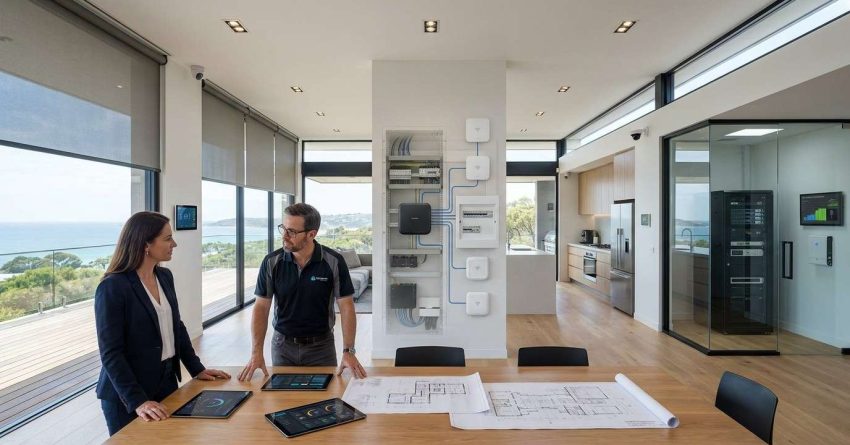
A smart home system is a network of connected devices, communication protocols, and control platforms that work together to automate and manage a home’s core functions — including lighting, climate, security, and appliances — from a single interface. Understanding how this architecture is structured helps homeowners make smarter decisions about installation, upgrades, and long-term maintenance. This guide covers every layer of smart home architecture, from the physical devices to the communication standards that connect them.
Smart home technology is no longer limited to tech enthusiasts — it is now a practical tool for homeowners, landlords, and property managers who want better control over energy use, security, and property value.
This article explains how smart home systems are built, how the components connect, and what homeowners need to know before installing or upgrading a system.
What Is a Smart Home System?
A smart home system is a collection of internet-connected devices and software platforms that allow homeowners to monitor, control, and automate household functions remotely or through automated schedules. These systems can manage everything from thermostat settings and door locks to lighting scenes and appliance operation.
The defining feature of a smart home system is integration. Individual devices do not operate in isolation. They communicate with each other and with a central control point, allowing actions in one part of the system to trigger responses in another. A motion sensor near the front door, for example, can automatically turn on exterior lights and send an alert to a homeowner’s phone.
Smart home systems are built on three foundational elements: connected devices, a communication network, and a control interface. Every smart home architecture, regardless of brand or complexity, is built around these three elements.
Core Components That Make a Home “Smart”
The core components of a smart home system include smart devices (sensors, switches, locks, thermostats, cameras), a communication network (Wi-Fi, Zigbee, Z-Wave, or Matter), a hub or controller, and a user interface such as a mobile app or voice assistant.
Smart devices are the endpoints of the system. They collect data, execute commands, and report status back to the control layer. The communication network is the infrastructure that carries signals between devices and the hub. The hub processes those signals and coordinates responses. The user interface is where the homeowner interacts with the entire system.
Each component must be compatible with the others for the system to function reliably. Compatibility is determined primarily by the communication protocol each device uses.
How Smart Home Architecture Is Structured
Smart home architecture follows a layered structure that separates physical devices from the network that connects them and the software that controls them. This separation makes systems easier to design, troubleshoot, and expand over time.
The layered model is the standard framework used by smart home designers, integrators, and manufacturers to describe how systems are organized. Understanding this model helps homeowners evaluate products, plan installations, and identify where problems occur when something stops working.
The Three-Layer Model: Devices, Network, and Control
The three-layer model divides smart home architecture into the device layer, the network layer, and the control layer.
The device layer includes all physical hardware: sensors, actuators, smart switches, locks, cameras, thermostats, and appliances. These devices collect information from the environment and carry out commands.
The network layer is the communication infrastructure. It includes the wireless protocols and physical wiring that allow devices to send and receive data. This layer determines how fast, how reliably, and how securely devices communicate.
The control layer is the software and hardware that processes data from devices and issues commands. This includes smart home hubs, cloud platforms, and mobile applications. The control layer is where automation rules are created and where the homeowner interacts with the system.
Communication Protocols and Connectivity Standards
Communication protocols are the languages that smart home devices use to talk to each other and to the hub. Choosing the right protocol is one of the most important decisions in smart home architecture because it determines which devices can work together and how reliably they communicate.
Different protocols have different strengths. Some prioritize speed, others prioritize range, and others prioritize low power consumption. Most modern smart homes use a combination of protocols depending on the device type and location.
Wi-Fi, Zigbee, Z-Wave, and Matter Compared
Wi-Fi connects devices directly to the home’s existing router. It offers high bandwidth and is ideal for devices that stream data, such as cameras and video doorbells. The drawback is that Wi-Fi devices consume more power and can strain the router when many devices are connected simultaneously.
Zigbee and Z-Wave are mesh networking protocols designed specifically for smart home use. Devices on these networks relay signals through each other, extending range and improving reliability. Zigbee operates on the 2.4 GHz band and supports a large number of devices per network. Z-Wave operates on the 908 MHz band in the United States, which reduces interference from Wi-Fi and Bluetooth signals.
Matter is a newer, open-source standard developed by the Connectivity Standards Alliance with support from Apple, Google, Amazon, and Samsung. Matter is designed to solve the compatibility problem by allowing devices from different manufacturers to work together on a single platform. As of 2025, Matter adoption is growing rapidly across major smart home device categories.
The Role of the Smart Home Hub
The smart home hub is the central coordinator of the entire system. It receives data from devices, applies automation rules, and sends commands back to devices. Without a hub, devices operate independently and cannot communicate with each other across different protocols.
Some hubs are dedicated hardware devices, such as the Samsung SmartThings Hub or the Hubitat Elevation. Others are software-based platforms running on a home server or in the cloud. Voice assistants like Amazon Alexa and Google Home also function as hubs for many users, though they are more limited in their automation capabilities compared to dedicated hub hardware.
Centralized vs. Decentralized Control Systems
A centralized control system routes all device communication through a single hub. This makes the system easier to manage and automate but creates a single point of failure. If the hub goes offline, automation stops functioning.
A decentralized control system distributes control across multiple devices or nodes. Mesh networks like Zigbee and Z-Wave use this approach. Devices communicate directly with nearby nodes rather than routing everything through one central point. This improves reliability and resilience but can make configuration more complex.
Most modern smart home installations use a hybrid approach: a central hub for automation logic combined with a mesh network for device communication.
Smart Home Integration With Home Systems
Smart home architecture does not exist in isolation from the physical systems of the house. The most effective smart home installations are those where smart technology is integrated directly with the home’s HVAC, electrical, plumbing, and security infrastructure.
This integration is where smart home architecture moves from a convenience feature to a genuine property management tool. Automated HVAC scheduling reduces energy costs. Smart leak detectors connected to water shutoff valves prevent water damage. Automated lighting tied to occupancy sensors reduces electricity consumption. Each integration point adds measurable value to the property.
Understanding how smart home architecture affects long-term property value is especially relevant for buyers weighing their options — our custom home investment analysis breaks down how built-in smart systems influence resale value, upgrade costs, and overall return compared to spec home purchases.
HVAC, Electrical, Plumbing, and Security Connections
Smart thermostats and HVAC controllers connect to the home’s heating and cooling system through standard low-voltage wiring. They allow homeowners to set schedules, monitor energy use, and adjust temperature remotely. Advanced systems can use occupancy data and weather forecasts to optimize HVAC operation automatically.
Smart electrical integration includes smart switches, dimmers, outlets, and circuit breakers. These devices connect to the home’s wiring and allow remote control and monitoring of electrical loads. Smart circuit breakers can detect unusual power draw and alert homeowners to potential faults.
Plumbing integration typically involves smart leak detectors, water flow monitors, and automatic shutoff valves. These devices connect to the smart home network and can trigger alerts or shut off water supply automatically when a leak is detected.
Security integration includes smart locks, video doorbells, motion sensors, and alarm systems. These devices connect to the hub and can be automated to respond to specific events, such as locking all doors at a set time or activating cameras when motion is detected after hours.
Smart Home Installation and Professional Setup
Installing a smart home system ranges from simple plug-and-play device setup to complex whole-home integration that requires licensed electricians, HVAC technicians, and low-voltage wiring specialists. The scope of the installation determines whether a homeowner can complete it independently or needs professional help.
Basic installations — adding a smart thermostat, a few smart bulbs, or a video doorbell — are within reach for most homeowners with basic technical skills. More complex installations involving smart electrical panels, whole-home audio, structured wiring, or integration with HVAC systems require professional expertise to ensure safety and code compliance.
Homeowners planning a full smart home build will find every system category and planning step covered in our smart home systems guide, which walks through device selection, compatibility, and whole-home integration from start to finish.
When to Call a Professional vs. DIY
A homeowner should call a licensed professional when the installation involves work inside the electrical panel, new low-voltage wiring runs, HVAC control wiring, or any modification to the home’s existing infrastructure. These tasks carry safety risks and may require permits depending on local building codes.
DIY installation is appropriate for surface-mounted devices, wireless sensors, smart plugs, smart bulbs, and devices that replace existing switches or thermostats without requiring new wiring. Most manufacturers design these products for consumer installation and provide step-by-step setup guides.
When in doubt, a consultation with a licensed electrician or a smart home integrator before beginning a project can prevent costly mistakes and ensure the system is installed safely and correctly.
Maintaining a Smart Home System Long-Term
A smart home system requires ongoing maintenance to remain reliable and secure. Unlike traditional home systems, smart home devices depend on software as much as hardware. Firmware updates, network security, and device compatibility must be managed actively over time.
Firmware updates are the most important maintenance task. Manufacturers release updates to fix security vulnerabilities, improve performance, and add new features. Devices running outdated firmware are vulnerable to security exploits and may lose compatibility with updated hub software.
Network security is a critical maintenance concern. Smart home devices are connected to the internet and represent potential entry points for unauthorized access. Homeowners should use a dedicated IoT network segment, change default device passwords, and review connected device lists regularly.
Device replacement and compatibility management become relevant as systems age. Manufacturers discontinue products, drop support for older protocols, and update their platforms in ways that can break existing integrations. Planning for device lifecycle management from the beginning reduces disruption over time.
Long-term maintenance costs for smart systems vary significantly depending on whether the home was custom-built with integrated infrastructure or retrofitted — our spec home comparison explains how these structural differences affect ongoing upkeep budgets and system longevity.
Conclusion
Smart home system architecture is built on three interconnected layers: physical devices, communication networks, and control platforms. Each layer must be planned, installed, and maintained with care to deliver a reliable, secure, and expandable system.
For homeowners and property managers, understanding this architecture is the foundation for making informed decisions about which systems to install, which protocols to choose, and when professional help is needed.
Mr. Local Services connects homeowners with skilled professionals across electrical, HVAC, plumbing, and smart home installation services — contact us today to get your smart home system planned, installed, and maintained the right way.
Frequently Asked Questions
What is the difference between a smart home hub and a smart home controller?
A smart home hub connects and coordinates devices across different protocols, while a controller is the interface used to manage those devices. In many systems, the hub and controller are combined in a single device or app.
Can a smart home system work without an internet connection?
Some smart home systems can operate locally without internet access, particularly those using Zigbee or Z-Wave protocols with a local hub. However, remote access, voice assistant integration, and cloud-based automation typically require an active internet connection.
What is the Matter protocol and why does it matter for homeowners?
Matter is an open-source smart home standard that allows devices from different manufacturers to work together on a single platform. For homeowners, it means fewer compatibility problems and more flexibility when choosing devices from different brands.
How many smart devices can a typical home network support?
A standard home Wi-Fi router can support 20 to 50 devices reliably before performance degrades. Mesh protocols like Zigbee can support up to 65,000 devices per network, making them better suited for large or complex smart home installations.
Is smart home wiring different from standard home wiring?
Smart home devices that replace existing switches, outlets, and thermostats use standard home wiring. More advanced integrations, such as structured wiring for whole-home audio or dedicated low-voltage runs for security systems, require additional wiring installed by a licensed professional.
How do I know if my smart home devices are secure?
Devices are more secure when they run current firmware, use strong unique passwords, and connect through a dedicated IoT network segment separated from personal devices. Regularly reviewing which devices are connected to your network helps identify unauthorized access.
What happens to my smart home system if the manufacturer stops supporting a device?
When a manufacturer discontinues support, devices may lose cloud functionality, stop receiving security updates, or become incompatible with updated hub software. Choosing devices that support open protocols like Matter or Zigbee reduces dependency on any single manufacturer’s continued support.