Moving into a new home and discovering that the smart devices don’t respond, connect, or function correctly is one of the most frustrating surprises a homeowner can face. Smart locks that won’t pair, thermostats stuck on a stranger’s schedule, and lights that ignore every command are all common problems — and nearly all of them have a clear cause and a straightforward fix.
This guide explains why smart home systems break down after a move-in and what you can do right now to get them working again.
You will learn the most common failure points, a step-by-step troubleshooting process, and exactly when a professional is the right call.
Why Smart Home Systems Often Fail After a Move-In
Smart home devices are designed to work within a specific network, account, and configuration. When you move into a home where those settings belong to someone else, the devices are essentially still loyal to the previous owner. They are connected to an account you cannot access, paired to a network that no longer exists, or configured with automation rules that conflict with your setup.
Previous Owner Settings and Configurations
Most smart devices — locks, thermostats, cameras, and lighting systems — store their settings internally. A factory reset is required to clear those settings completely. Without it, the device continues to look for the previous owner’s app, account, or hub. In many cases, the device will appear to function but will not accept new commands or allow a new account to take control.
Network and Wi-Fi Compatibility Issues
Smart devices connect to a specific Wi-Fi network by name and password. When you change the network name or password — or when your internet provider assigns a new router — every device loses its connection simultaneously. Devices that use 2.4 GHz and 5 GHz bands can also fail if your new router handles those frequencies differently than the previous setup.
Smart home devices rely on correctly wired circuits and properly grounded outlets — our electrical services guide explains how wiring issues behind the wall can prevent smart devices from receiving the stable power they need to function.
The Most Common Smart Home Problems New Homeowners Face
Understanding which devices fail most often — and why — helps you prioritize your troubleshooting and avoid spending time on the wrong fix.
Smart Locks and Security Devices Not Responding
Smart locks are among the most commonly disrupted devices after a move-in. They are frequently still paired to the previous owner’s phone or hub, which means they will not accept a new pairing request until they are fully reset. Some models also require a physical key override to initiate the reset process, which can be confusing if you do not have the original documentation.
Smart locks that remain paired to a previous owner’s account or app require a full reset or replacement — our smart lock repair walks through every step of the process, including what to do when the reset button is inaccessible.
Smart Thermostats Showing Incorrect Settings
A smart thermostat that displays the previous owner’s schedule, temperature preferences, or energy-saving rules is not broken — it simply has not been reset. Most smart thermostats store schedules in the device itself and in a connected cloud account. Clearing both is necessary to take full control.
Smart Lighting and Outlets Not Connecting
Smart bulbs and smart outlets lose their connection when the network changes. They typically need to be put into pairing mode manually — a process that varies by brand — before they will appear in your app. Some older smart lighting systems also rely on a dedicated hub that may have been removed by the previous owner, leaving the bulbs with no way to receive commands.
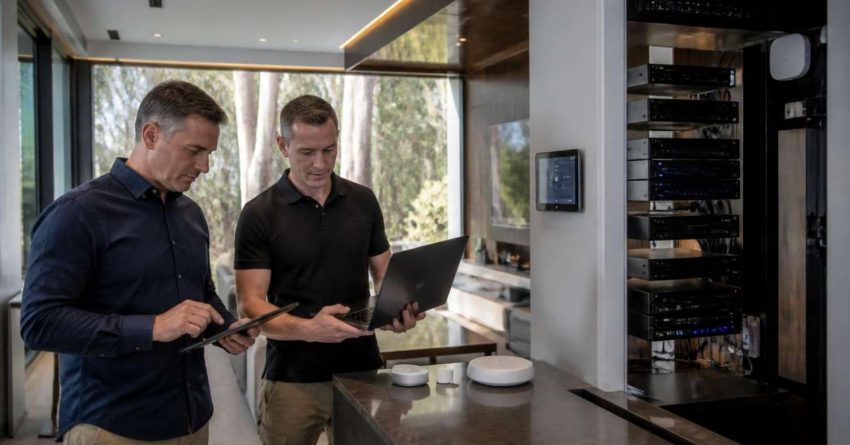
For homeowners dealing with multiple disconnected devices at once, a skilled technician can assess and reconnect your entire system — our handyman services outlines how a professional visit can resolve several smart home issues in a single appointment.
How to Troubleshoot a Smart Home System Step by Step
Working through these steps in order will resolve the majority of smart home failures after a move-in. Start from the beginning even if you believe you have already completed a step — partial resets are a common source of ongoing problems.
Reset Devices to Factory Defaults
A factory reset clears all stored settings, accounts, and network credentials from the device. The reset process is different for every brand and model, so locate the original manual or search the manufacturer’s support for the exact steps. Most devices require holding a physical button for 10 to 30 seconds. After the reset, the device should behave as if it is brand new.
Reconnect to Your Home Network
After resetting, open the manufacturer’s app on your phone and follow the setup process as if you are installing the device for the first time. Make sure your phone is connected to the same Wi-Fi network you want the device to use. If your router broadcasts both 2.4 GHz and 5 GHz networks under the same name, temporarily separate them during setup — many smart devices only support 2.4 GHz.
Update Firmware and App Permissions
Once the device is connected, check for firmware updates immediately. Manufacturers release updates that fix connectivity bugs, improve compatibility, and patch security vulnerabilities. Also review the app’s permissions on your phone — location access, Bluetooth, and local network permissions are all commonly required and are often denied by default on new phone setups.
If a factory reset on your smart lock does not restore access and you are locked out of your home, our locksmith services explains how a licensed locksmith can regain entry safely without damaging the device or door hardware.
When to Call a Professional for Smart Home Repairs
Most smart home problems after a move-in are software and network issues that homeowners can resolve independently. However, some failures point to a physical problem that requires professional attention.
Electrical and Wiring Issues Behind Smart Devices
Smart switches, smart outlets, and smart thermostats all require specific wiring configurations to function correctly. A smart switch, for example, typically requires a neutral wire that older homes may not have. If a device powers on but behaves erratically, trips a breaker, or causes other outlets to stop working, the issue is almost certainly electrical rather than software-related.
Smart home failures caused by faulty wiring, tripped breakers, or overloaded circuits require a licensed electrician — our home electrical repair explains what to expect during a professional electrical inspection and how issues are diagnosed and resolved safely.
Do not attempt to rewire a smart device without professional training. Incorrect wiring is a fire and shock hazard, and it can permanently damage the device and the circuit it is connected to.
Preventing Smart Home Problems in Future Properties
If you are a landlord, property manager, or homeowner planning a future move, a few simple steps before move-in day can prevent every problem described in this guide.
Request a full list of all smart devices installed in the property before closing or signing a lease. Ask the previous owner or seller to perform factory resets on every device before handing over the keys. Confirm that all hub devices, bridge units, and dedicated controllers are included with the property — or removed entirely so you can start fresh.
Scheduling a professional walkthrough before or immediately after move-in can catch compatibility and wiring issues before they become larger problems — our home maintenance services covers what a pre-move-in inspection typically includes and how to schedule one.
If you are setting up a smart home system from scratch in a new property, plan your network first. Choose a router that supports both frequency bands, set up a dedicated IoT network if possible, and document every device’s login credentials and reset procedure before installation.
For new homeowners who want a complete setup process from the beginning, our smart home setup guide for new homeowners covers every step from network configuration to device pairing and automation scheduling.
Conclusion
Smart home systems fail after a move-in because they are still configured for someone else’s network, account, and preferences. Factory resets, network reconnection, and firmware updates resolve the majority of issues without professional help. When the problem involves wiring, breakers, or physical installation, a licensed electrician is the right call. Mr. Local Services connects homeowners and property managers with skilled professionals across electrical, locksmith, and handyman services — so every device in your new home works exactly the way it should from day one.
Frequently Asked Questions
Why are my smart home devices not working in my new house?
Smart devices store the previous owner’s network credentials and account information internally. Until you perform a factory reset on each device and reconnect it to your own network and app, it will not respond to your commands.
Do I need to reset every smart device when I move into a new home?
Yes. Every smart device — locks, thermostats, lights, outlets, and cameras — should be factory reset before you attempt to set it up. Skipping this step is the most common reason devices fail to connect or respond after a move-in.
Why won’t my smart lock pair with my phone after moving in?
Your smart lock is most likely still paired to the previous owner’s account. A factory reset clears that pairing completely. The reset process varies by brand, so check the manufacturer’s support for the exact button sequence required.
Can a Wi-Fi change cause all my smart home devices to stop working?
Yes. Every smart device is connected to a specific network name and password. Changing either one disconnects all devices simultaneously. You will need to reconnect each device individually through its app using your new network credentials.
When should I call an electrician for a smart home problem?
Call a licensed electrician when a smart device trips a breaker, causes other outlets to stop working, or behaves erratically after a successful software reset. These symptoms indicate a wiring issue rather than a software or network problem.
How long does it take to set up a smart home system after moving in?
A basic setup covering locks, thermostat, and lighting typically takes two to four hours for a homeowner doing it independently. Larger systems with multiple hubs, cameras, and automation rules may take a full day or require professional assistance.
Can a handyman help set up smart home devices?
Yes. A skilled handyman can reset, reconnect, and configure most smart home devices and can identify when a problem requires an electrician or specialist. This is a practical option when multiple devices need attention at the same time.