Selecting the right smart home hub during a new build gives you a single, permanent control point for every connected device in your home — from lighting and HVAC to security and appliances. Getting this decision right at the construction stage is far easier and less expensive than retrofitting later, and it shapes every smart system you add for years to come.
New builds offer a rare window to wire, plan, and integrate your smart home infrastructure before walls are closed and ceilings are finished. Missing that window means working around limitations that a little early planning could have eliminated entirely.
This guide covers hub types, compatibility factors, system integration, installation planning, and the most common mistakes new build buyers make when choosing a smart home hub.
What Is a Smart Home Hub and Why It Matters in a New Build
A smart home hub is a central device that connects, controls, and coordinates all the smart devices in your home through a single platform. Instead of managing separate apps for your lights, thermostat, locks, and cameras, a hub brings everything under one interface and allows devices from different manufacturers to communicate with each other.
In a new build, the hub decision matters more than in a retrofit situation because your infrastructure choices — wiring runs, panel placement, network access points — are made while the home is still open. Choosing a hub early means your electrician, contractor, and technology installer can all work toward the same system requirements from day one.
Understanding what a hub does is the foundation of any smart home plan — our smart home services guide covers the full ecosystem of connected home technology, from device selection to professional installation support.
How a Hub Differs from a Smart Speaker or Bridge
A smart speaker like an Amazon Echo or Google Nest Hub is a voice interface and media device. It can control compatible smart devices, but it is not a hub. A bridge is a translator that connects one specific brand’s devices to your network — for example, a Philips Hue Bridge connects Hue bulbs to Wi-Fi. A true smart home hub goes further: it manages multiple protocols, supports automation routines, and integrates devices across brands and ecosystems into a single, unified system.
Why New Builds Are the Ideal Time to Choose a Hub
Once drywall is up and ceilings are finished, adding structured wiring, in-wall speakers, or hardwired sensors becomes a major renovation project. During construction, those same installations take hours instead of days. Choosing your hub before framing is complete means your builder can rough in conduit, run Cat6 ethernet, and position your electrical panel to support the system you actually want — not the one that fits around what was already built.
Types of Smart Home Hubs Available for New Construction
Smart home hubs fall into two broad categories: dedicated hub devices and integrated panel systems. Each suits a different type of homeowner and a different level of technical involvement.
Choosing the right hub type is one of the earliest decisions in home automation planning, and getting it right during construction prevents costly retrofits later.
Dedicated Hub Devices (SmartThings, Hubitat, Home Assistant)
Dedicated hubs are standalone devices that connect to your home network and manage smart devices independently of any single brand ecosystem.
Samsung SmartThings is one of the most widely used consumer hubs, offering broad device compatibility, cloud-based automation, and a straightforward app interface. It works well for homeowners who want reliable performance without deep technical configuration.
Hubitat Elevation processes all automations locally — meaning your smart home continues to function even when your internet connection goes down. This makes it a strong choice for homeowners who prioritize reliability and privacy over cloud convenience.
Home Assistant is an open-source platform that offers the deepest level of customization available in the consumer market. It supports virtually every protocol and device type, but it requires more technical setup and ongoing maintenance than commercial alternatives.
Integrated Panel and Controller Systems
Integrated systems like Control4, Crestron, and Savant are professional-grade platforms installed and configured by certified dealers. They offer seamless whole-home automation, high-end audio and video integration, and dedicated support — but at a significantly higher cost than consumer hub devices. These systems are most appropriate for custom builds where the homeowner wants a fully managed, professionally maintained smart home from day one.
Key Factors to Consider When Selecting a Smart Home Hub
The hub you choose determines which devices you can use, how reliably they communicate, and how easily you can expand your system over time. Three factors carry the most weight in a new build context.
Protocol Compatibility (Zigbee, Z-Wave, Matter, Wi-Fi)
Smart devices communicate using wireless protocols, and not every hub supports every protocol. The four most common are:
Zigbee is a low-power mesh protocol used by a wide range of smart lighting, sensors, and locks. Devices on a Zigbee network extend the signal range by relaying communications through each other.
Z-Wave operates on a different radio frequency than Wi-Fi, which reduces interference. It is widely used for security devices, door locks, and sensors, and it has a strong reputation for reliability.
Wi-Fi devices connect directly to your home router without needing a separate hub protocol, but they consume more power and can strain your network if you have dozens of devices.
Matter is the newest and most significant development in smart home technology. It is an open standard backed by Apple, Google, Amazon, and Samsung that allows devices from different ecosystems to work together natively. Most new hub platforms now support Matter, and choosing a Matter-compatible hub future-proofs your system as more devices adopt the standard.
Protocol compatibility directly affects how your hub communicates with wired devices throughout the home, which is why coordinating with electrical services professionals during the build phase ensures your infrastructure supports your chosen system.
Scalability and Future-Proofing
A hub that handles 10 devices well may struggle with 50. Before committing to a platform, confirm the maximum number of devices it supports, whether it allows local processing as your device count grows, and whether the manufacturer has a clear roadmap for Matter and future protocol support. Platforms with active developer communities — like Home Assistant — tend to adapt faster to new standards than closed commercial systems.
Local vs. Cloud Processing
Cloud-dependent hubs route your automation commands through a remote server. This means that if the manufacturer’s servers go down, or if your internet connection drops, your automations stop working. Local processing hubs — Hubitat being the clearest example — run all automations on the device itself. For critical functions like security, door locks, and lighting, local processing is a meaningful reliability advantage.
Which Smart Home Systems Work Best With Your Hub
A hub is only as useful as the systems it connects. In a new build, the highest-value integrations to plan for are lighting, climate control, and security — because all three benefit most from being wired and configured during construction.
Lighting, HVAC, and Security Integration
Smart lighting in a new build can be wired to support in-wall dimmers and switches that communicate directly with your hub, rather than relying on plug-in adapters or battery-powered devices. This gives you faster response times, more reliable automations, and a cleaner installation.
Smart thermostats and zoned climate control are among the highest-value hub integrations available — our HVAC smart integration explains how connected HVAC systems work with leading hub platforms to maximize comfort and energy efficiency.
Smart security — including door locks, motion sensors, cameras, and alarm panels — integrates most cleanly when the wiring is planned during construction. Hardwired sensors are more reliable than battery-powered alternatives and do not require periodic battery replacement.
Appliance and Electrical Device Compatibility
Smart appliances — refrigerators, ovens, washers, and dryers — increasingly support Matter and Wi-Fi connectivity, allowing them to report status, receive commands, and participate in energy management routines through your hub. When selecting appliances for a new build, confirming hub compatibility before purchase prevents integration problems after move-in.
Planning Your Smart Home Hub Installation in a New Build
Installation planning is where most new build smart home projects succeed or fail. The decisions made during framing and rough-in directly determine what is possible after the home is complete.
Working With Electricians and Contractors During Construction
Your hub needs a permanent, central location with reliable power and network access. Ideal placement is near your main electrical panel or in a dedicated technology closet, with ethernet runs to every room where smart devices will be installed. Proper hub placement depends on your home’s wiring layout, and working with a qualified team for your home electrical setup ensures the network backbone is in place before walls are closed.
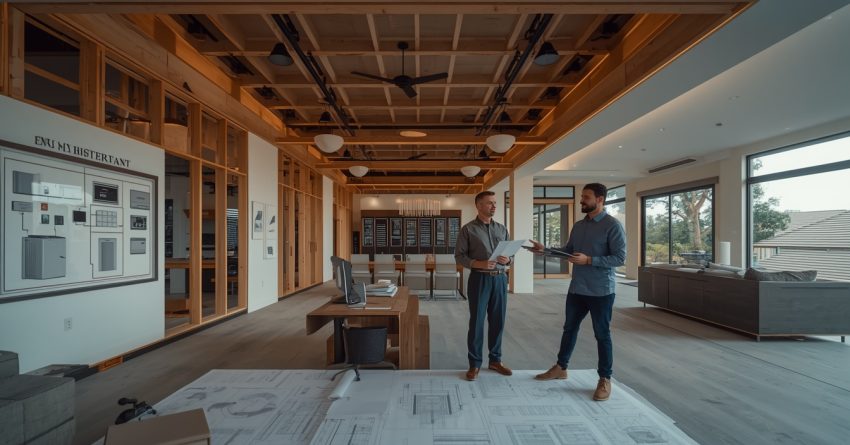
Communicate your hub choice to your general contractor and electrician before rough-in begins. Provide the hub manufacturer’s installation requirements, including power specifications, ventilation needs, and recommended network topology.
Wiring, Panel Placement, and Network Infrastructure
Run Cat6 ethernet to every room — not just the rooms where you currently plan to use wired devices. Future-proofing your network infrastructure costs very little during construction and eliminates the need for powerline adapters or Wi-Fi extenders later. For smaller mounting, bracket, and panel-placement tasks during construction, handyman installation help can bridge the gap between major contractor phases and final smart device setup.
Position your wireless access points based on your hub’s protocol requirements. Zigbee and Z-Wave mesh networks benefit from centrally placed access points, while Wi-Fi devices need strong signal coverage throughout the home.
Common Mistakes to Avoid When Choosing a Smart Home Hub
The most expensive smart home mistakes in new builds share a common cause: decisions made too late in the construction process to change without significant cost.
Choosing a hub based on brand familiarity alone — rather than protocol compatibility and scalability — is the most common error. A hub that works well with the 10 devices you buy at move-in may not support the 40 devices you add over the next five years.
Relying entirely on Wi-Fi devices without planning for Zigbee or Z-Wave infrastructure creates network congestion as your device count grows. A mixed-protocol approach, supported by a hub that handles multiple standards, distributes the load more effectively.
Skipping the planning phase is the single most costly mistake. Many of the most expensive smart home problems stem from skipping the planning phase entirely — the automation planning guide walks through every decision point before a single device is purchased.
Finally, failing to document your installation — which devices are on which protocol, where access points are located, and how automations are structured — creates significant troubleshooting difficulty when something stops working after move-in.
Conclusion
Selecting the right smart home hub during a new build connects every device, protocol, and automation into a single, manageable system that grows with your home. The hub choice shapes your lighting, HVAC, security, and appliance integrations for the life of the property.
Planning early, coordinating with your electrical and construction team, and choosing a platform with strong protocol support and local processing capability are the decisions that separate a smart home that works reliably from one that requires constant troubleshooting.
At Mr. Local Services, our team connects new build homeowners with skilled professionals across electrical, HVAC, and smart home installation services — so your hub and every system it controls is set up right from the start.
Frequently Asked Questions
What is the best smart home hub for a new build in 2025?
The best hub depends on your priorities. Hubitat Elevation is the top choice for local processing and reliability. SmartThings suits homeowners who want broad compatibility with minimal setup. Home Assistant is best for those who want maximum customization and control.
Does a smart home hub require a professional to install?
Consumer hubs like SmartThings and Hubitat can be self-installed, but professional installation is recommended for integrated systems like Control4 or Crestron. Coordinating hub placement with your electrician during construction is always advisable regardless of hub type.
What is the Matter protocol and should my hub support it?
Matter is an open smart home standard backed by Apple, Google, Amazon, and Samsung that allows devices from different brands to work together natively. Any hub purchased for a new build in 2025 or later should support Matter to ensure long-term device compatibility.
How many smart devices can a typical hub support?
Consumer hubs like SmartThings and Hubitat support between 100 and 300 devices depending on configuration. Home Assistant scales significantly higher with the right hardware. Confirm device limits with your chosen platform before purchasing if you plan a large installation.
Should I choose local or cloud processing for my smart home hub?
Local processing is the more reliable choice for critical functions like security, locks, and lighting. Cloud-dependent hubs stop working when your internet connection drops. Hubitat and Home Assistant both offer strong local processing capabilities.
When should I decide on a smart home hub during new construction?
Decide on your hub before the rough-in electrical phase begins — ideally during the design or pre-construction stage. This allows your electrician to run the correct wiring, position your panel appropriately, and plan network infrastructure around your chosen system.
Can I change my smart home hub after the home is built?
You can replace a hub after construction, but some integrations — particularly hardwired devices and in-wall controllers — may require reconfiguration or replacement if the new hub uses a different protocol. Choosing a Matter-compatible hub reduces this risk significantly.