
A robot vacuum built for whole-house cleaning needs strong multi-floor mapping, at least 3,000Pa of suction, and a battery that covers 2,000+ square feet without stopping to recharge mid-cycle. That’s the baseline. Anything less and you’re babysitting a machine instead of relying on one.
Most homeowners buy the cheapest model on the shelf and regret it within three months. It gets stuck on rugs, misses whole rooms, and dies halfway through a cleaning cycle every single time.
I cover what separates a real whole-house cleaner from a single-room toy, starting with performance fundamentals like mapping and suction. From there, I get into smart features and automation, how these machines actually perform in real households with pets and stairs, and what you’re paying for at each price tier so you can make a decision that holds up.
What “Whole-House Cleaning” Actually Requires From a Robot Vacuum
A robot vacuum built for a single room and one built for an entire house are not the same product. Whole-house cleaning means the machine has to map multiple floors, remember room layouts between cleanings, and return to its base without help.
I’ve seen plenty of buyers get burned by marketing that says “smart navigation” without specifying whether that navigation actually holds up across 1,800 square feet of mixed flooring. It usually doesn’t.
Multi-Floor Mapping and Room Recognition
The unit needs to store multiple floor maps, not just one. A robot vacuum is a device that uses sensors and mapping software to build a digital layout of a home’s rooms and floors.
Homes with more than one level need a vacuum that saves separate maps per floor and lets you carry the unit between levels without re-mapping every time. Room recognition also matters here the vacuum should let you name rooms and set cleaning rules per space, not just run one blanket cycle across the whole house.
Battery Runtime and Auto-Recharge Range
Runtime is where budget models fall apart fastest. A vacuum rated for 120 minutes on paper often delivers closer to 90 in real carpet conditions, and that’s not enough for a 2,500-square-foot home in one pass.
Auto-recharge-and-resume is the feature that actually solves this. The unit returns to its dock, tops off the battery, and picks up exactly where it left off instead of starting the whole cycle over.
Suction Power and Debris Pickup for Different Floor Types
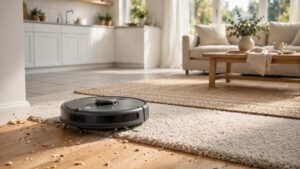
Suction power gets thrown around as a marketing number, but it only tells part of the story. What matters more is how that suction translates across your actual floor mix: hardwood in the kitchen, carpet in the bedrooms, tile in the bathroom.
I always tell people to think about their dirtiest room first. If suction can’t handle that room, it can’t handle the house.
Hardwood, Tile, and Low-Pile Carpet Performance
Hard surfaces are the easy case. Most mid-range robot vacuums pick up dust, crumbs, and pet hair from hardwood and tile without much trouble, and low-pile carpet usually isn’t far behind.
The real test is edge and corner cleaning on hard floors. Side brushes and offset main brushes make a measurable difference in how much debris gets left behind along baseboards.
High-Pile Carpet and Deep-Clean Settings
High-pile carpet is where suction ratings actually get tested. A vacuum needs both strong suction and a brush roll designed to agitate deep into carpet fibers, not just skim the surface.
Look for models with automatic carpet detection that boost power the moment they sense a change in floor texture. That’s the difference between a vacuum that cleans carpet and one that just crosses it.
Navigation and Mapping Technology Compared

Navigation technology is the single biggest factor in whether a robot vacuum covers your whole house efficiently or wastes half its battery bumping into furniture. Two main approaches dominate the market right now, and they perform very differently.
LiDAR vs Camera-Based Navigation
LiDAR navigation is a mapping method that uses laser sensors to measure distances and build a precise floor plan in real time. It works in low light and tends to produce more accurate maps than camera-based systems.
Camera-based navigation relies on visual recognition and works well in bright rooms but can struggle after dark or in cluttered spaces. For a full house with varying light conditions room to room, LiDAR consistently performs more reliably.
No-Go Zones and Room-Specific Scheduling
No-go zones let you block off areas like a pet’s food bowl, a cluster of cables, or a delicate rug without physical barriers. You draw the zone in the app, and the vacuum respects it every single run.
Room-specific scheduling takes this further by letting you assign different cleaning times and settings to different rooms. Kitchens daily, bedrooms twice a week- that kind of control matters once you’re managing an entire house instead of one room.
Self-Emptying and Auto-Maintenance Features
Whole-house cleaning generates a lot more debris than spot-cleaning a living room, and that debris has to go somewhere. Self-emptying bases solve the single biggest complaint people have with robot vacuums: constantly emptying a tiny onboard bin.
Self-Empty Base Capacity and Bag Life
A self-empty base holds weeks’ worth of debris in a sealed bag before you need to touch it. Capacity varies a lot between models, and larger homes with more square footage to cover fill that bag faster than a studio apartment would.
I’d rather see someone spend a little more upfront on a larger-capacity base than deal with a full bin every four days. That tradeoff pays for itself in convenience alone.
Self-Cleaning Mop Pads and Water Stations
Combo vacuum-mop units increasingly come with docking stations that rinse the mop pad and refill the onboard water tank automatically. That means less time spent unscrewing pads and refilling reservoirs by hand.
Some higher-end stations even use hot water to rinse pads, which cuts down on lingering odor from dirty mop water sitting in a tank.
Mopping and Combo Vacuum-Mop Models
Combo units that vacuum and mop in one pass have gotten dramatically better over the past couple of years, but they’re not a universal fix for every floor.
Vibrating vs Spinning Mop Technology
Spinning mop pads rotate continuously and tend to handle scrubbing dried spills better than flat pads. Vibrating mop technology moves the pad back and forth at high frequency, which some manufacturers claim mimics manual scrubbing more closely.
Neither fully replaces a deep manual mop for stubborn stains, but both are a real upgrade over dry vacuuming alone for daily maintenance.
Pet Hair and Multi-Pet Household Performance

Pet hair is consistently the top complaint I hear from multi-pet households trying to keep a robot vacuum running smoothly. Hair wraps around brush rolls, clogs filters, and can bring a mediocre vacuum to a dead stop mid-cycle.
Tangle-Free Brush Roll Design
Tangle-free brush rolls use a combination of rubber fins and comb teeth that actively lift hair away from the roller instead of letting it wind around the axle. This single design choice determines whether you’re cleaning the brush weekly or monthly.
Households with long-haired dogs or multiple cats should treat this feature as close to mandatory, not optional.
Handling Thresholds, Stairs, and Multi-Level Homes
Thresholds between rooms, especially transitions from carpet to hardwood, trip up a lot of robot vacuums that otherwise perform well. Climbing ability matters more than most buyers realize until they hit a half-inch lip the vacuum can’t cross.
Stairs remain a hard limit for every robot vacuum on the market today; none of them climb stairs safely. Multi-level homes need either a unit per floor or a plan to carry one vacuum between levels using saved floor maps.
Smart Home Integration and App Controls
App controls have moved well past basic start-and-stop functionality. Modern apps let you review cleaning history, adjust suction per room, and get maintenance alerts before a filter actually clogs.
Voice Assistant Compatibility
Voice assistant compatibility with systems like Alexa or Google Assistant lets you start a cleaning cycle hands-free, which matters more than it sounds like it would once it’s part of your routine. It’s a small convenience that adds up over daily use.
Price Tiers and What You Actually Get at Each Level

Price correlates pretty directly with capability in this category, more so than in a lot of home appliances. Knowing what each tier actually buys you prevents both overspending and underbuying.
Budget, Mid-Range, and Premium Breakdown
Budget models handle basic vacuuming on hard floors and low-pile carpet but usually skip self-emptying bases and advanced mapping. Mid-range units add LiDAR navigation, app-based room mapping, and often basic mopping.
Premium models bring self-empty bases with longer capacity, automatic mop washing, stronger suction on carpet, and the most reliable multi-floor mapping. For a genuinely whole-house solution, mid-range is usually the realistic floor, not the budget tier.
Maintenance, Lifespan, and Long-Term Ownership Costs
Ongoing costs matter as much as the sticker price. Replacement filters, brush rolls, mop pads, and self-empty bags all add up over a couple of years of ownership.
Most well-maintained units last three to five years before performance noticeably drops off. Regular filter and brush maintenance the kind of routine upkeep that also applies to other equipment throughout your home extends that lifespan considerably and keeps suction consistent month over month.
Conclusion
Whole-house cleaning comes down to mapping accuracy, real-world battery runtime, and how the machine actually performs on your specific floor mix. Suction ratings only tell part of the story.
The right robot vacuum saves real time across a full house, not just one room. It’s an investment that pays back in hours you’re not spending on manual cleaning.
We connect homeowners with trusted maintenance and repair professionals for everything else your home needs. Reach out to Mr. Local Services when your home needs more than a vacuum can handle.
Frequently Asked Questions
How long does a robot vacuum battery last for whole-house cleaning?
Most whole-house-capable models run 90 to 180 minutes per charge, depending on floor type. Auto-recharge-and-resume lets the unit finish larger homes across multiple charging cycles automatically.
Can one robot vacuum clean a multi-level home?
A single unit can clean multiple levels if you carry it between floors and it stores separate maps per level. Most owners of larger multi-level homes prefer a unit per floor for full daily coverage.
Do robot vacuums work well on high-pile carpet?
Robot vacuums with automatic carpet detection and boosted suction handle high-pile carpet reasonably well. Performance still falls short of a full-size upright vacuum on very thick or shag carpet.
How often do self-empty bases need a new bag?
Self-empty bases typically need a new bag every 30 to 60 days, depending on base capacity and home size. Larger capacity bases and smaller households stretch that interval considerably longer.
Is LiDAR navigation better than camera-based navigation?
LiDAR navigation generally performs more consistently across different lighting conditions than camera-based systems. Camera-based navigation still works well in well-lit rooms but can struggle after dark.
Can robot vacuums climb stairs?
No robot vacuum on the market today climbs stairs safely. Multi-level homes need either a separate unit per floor or a routine for carrying one unit between levels.
What’s the real difference between budget and premium robot vacuums?
Premium models add self-emptying bases, stronger carpet suction, automatic mop cleaning, and more reliable multi-floor mapping. Budget models handle basic hard-floor vacuuming but usually skip these automation features entirely.
How long do robot vacuums typically last?
Most well-maintained robot vacuums last three to five years before performance noticeably declines. Regular filter and brush roll maintenance extends that lifespan and keeps suction consistent.